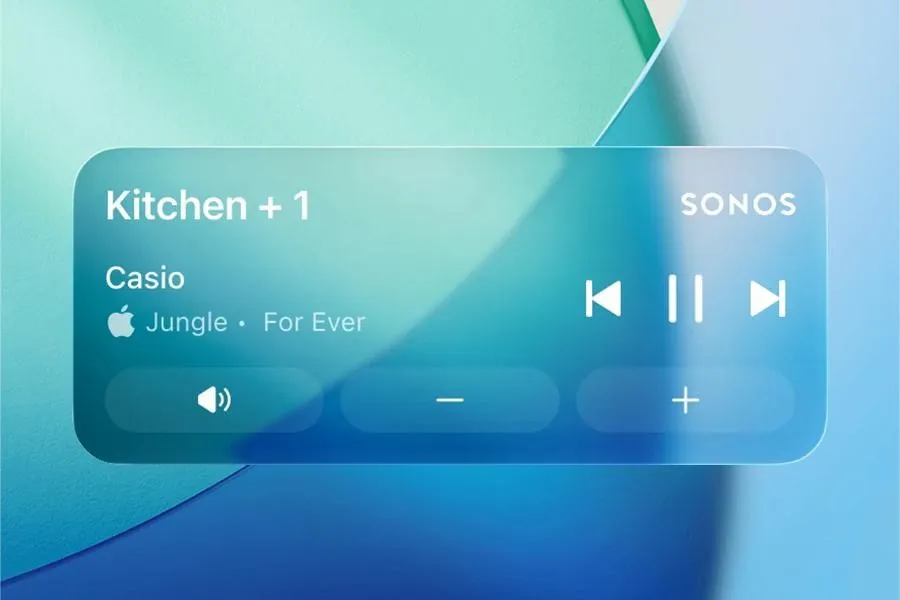
Sonos now offers playback controls directly on the iPhone lock screen via Apple’s Live Activities. The feature, disabled by default, lets users adjust volume or skip tracks after unlocking, but without displaying the album art.
A return after three years of absence
The feature isn’t new: Sonos had already integrated it in 2016 before removing it in 2023. At the time, the method used no longer met Apple’s design requirements. Since then, users had been calling for its return, especially after the disastrous 2024 app overhaul had pushed this project to the back burner.
The current update (version 80.16.32 on iOS) finally fills this gap. It relies on Apple’s Live Activities system, which allows apps to display dynamic information on the lock screen.
How it works and limitations
Once enabled, the Live Activity appears after starting playback and closing the app. It shows the name of the Sonos room or group being used, as well as the current track or podcast title. To interact (volume, track changes), you must first unlock the iPhone with Face ID or a passcode.
The activity automatically disappears 15 minutes after playback stops. Two major limitations remain: no album artwork on the lock screen, and the inability to use controls on Apple Watch or CarPlay, where only display is available. Sonos states it is exploring solutions to improve the experience, particularly for visual display.
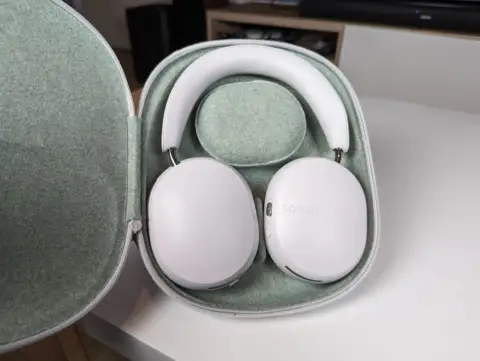 RecommendedSonos Ace Ultra design revealed, ecosystem integration in focus
Activation and context
The feature is disabled by default. To enable it, users must go to the Sonos app settings, then the dedicated iPhone section. Sonos had mentioned this project in February 2026 during an interview with Bloomberg, where CEO Tom Conrad confirmed the development of this integration.
This update is part of a series of fixes made to the app following the 2024 overhaul, which sparked strong criticism. Recent improvements include better queue management, a reliable local library, and the reintroduction of basic features like alarms or zone creation.
“This is a highly requested, long-awaited, and necessary feature.” — Sonos, official announcement on RedditTranslated from French
While this integration marks a positive step, it also highlights the recurring tensions between Apple’s closed ecosystems and the expectations of third-party hardware users. The Live Activities feature, though useful, remains limited by iOS’s technical constraints.





Comments 0
Sign in to join the discussion.
Be the first to comment.